

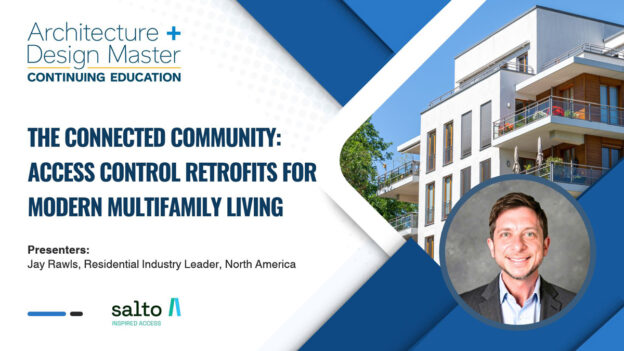
Residents now expect electronic, secure access in buildings that were never designed for it. Rewiring an occupied property is expensive and disruptive, so owners and design teams are turning to retrofits that add smart access to existing doors. In this session, Jay Rawls of Salto explains how to plan and deliver access upgrades across unit doors, perimeter doors, amenity spaces, garages and package rooms. The session draws on real multifamily deployments. It follows the full process: assessing existing conditions, choosing wired or wireless hardware, integrating with property management and video systems, and phasing the work around residents who still live there.
Learning Objectives
- Understand the current access control technology and hardware landscape, including the retrofit options open to an owner or property manager as they begin planning.
- Assess existing doors, frames and building conditions to decide whether a retrofit is feasible and how big it needs to be.
- Compare wired and wireless approaches for unit, perimeter and common-area openings.
- Plan phased installations that keep disruption low in occupied buildings and connect to property management systems, video and visitor systems.
- Evaluate how access upgrades affect resident experience, operating costs and long-term asset value.
Presented by

Jay Rawls leads Salto’s multifamily residential business across North America, aligning Salto’s access control platform and hardware with where the connected apartment building is headed.
A multifamily technology specialist with nearly two decades of experience across multifamily and single-family housing, Jay joined Salto after serving as Senior Director of Operations & Technology at Charlotte-based Northwood Ravin, an NMHC Top 10 Developer and Builder. There he led systems administration and integrations across software, access control, and in-building technology – with hands-on responsibility for specifying, deploying, and supporting electronic access at scale across both new construction and retrofit projects.
Jay is active in the National Apartment Association and currently serves as Immediate Past President of the Greater Charlotte Apartment Association.
Education Level: Intermediate
Sponsored by:

Course Includes
- 1 Lesson
- Course Certificate

Credits: Submitted for AIA CES credit
Instructional Delivery Method: Live Online
Prerequisites: None
Program Level: Intermediate
Advance learner preparation: N/A
AIA CES program approval expiration date:
AIA CES Provider statement: Endeavor Business Media is a registered provider of AIA-approved continuing education under Provider Number 10084542. All registered AIA CES Providers must comply with the AIA Standards for Continuing Education Programs. Any questions or concerns about this provider or this learning program may be sent to AIA CES (cessupport@aia.org or (800) AIA 3837, Option 3). This learning program is registered with AIA CES for continuing professional education. As such, it does not include content that may be deemed or construed to be an approval or endorsement by the AIA of any material of construction or any method or manner of handling, using, distributing, or dealing in any material or product. AIA continuing education credit has been reviewed and approved by AIA CES. Learners must complete the entire learning program to receive continuing education credit. AIA continuing education Learning Units earned upon completion of this course will be reported to AIA CES for AIA members. Certificates of Completion for both AIA members and non-AIA members are available upon request.

Credits: Submitted for AIA CES credit
Instructional Delivery Method: Live Online
Prerequisites: None
Program Level: Intermediate
Advance learner preparation: N/A
AIA CES program approval expiration date:
AIA CES Provider statement: Arkance is a registered provider of AIA-approved continuing education under Provider Number 10145787. All registered AIA CES Providers must comply with the AIA Standards for Continuing Education Programs. Any questions or concerns about this provider or this learning program may be sent to AIA CES (cessupport@aia.org or (800) AIA 3837, Option 3). This learning program is registered with AIA CES for continuing professional education. As such, it does not include content that may be deemed or construed to be an approval or endorsement by the AIA of any material of construction or any method or manner of handling, using, distributing, or dealing in any material or product. AIA continuing education credit has been reviewed and approved by AIA CES. Learners must complete the entire learning program to receive continuing education credit. AIA continuing education Learning Units earned upon completion of this course will be reported to AIA CES for AIA members. Certificates of Completion for both AIA members and non-AIA members are available upon request.

Credits:
This CEU is registered with the Interior Design Continuing Education Council (IDCEC) for continuing education credits.